Wednesday, October 14, 2026
Wi-Fi 7 Router vs Mesh: One Box or Three?
- Published
- 8:42 PM
- Author
- Comments
- 0
The video call freezes in the back bedroom again, and the store offers two fixes. One is a single flagship Wi-Fi 7 router. The other is a mesh kit: two or three smaller units that pass the signal from room to room. The Wi-Fi 7 router vs mesh choice looks like a speed question. It isn't. It's a walls question, and in most two-floor homes the mesh wins.
Key Takeaways
In a home with two floors, or a room two walls from the router, a dual-band Wi-Fi 7 mesh beats one flagship router.
- A faster router only shows its speed on plans above about 500 Mbps; mesh fixes coverage on any plan.
- Each extra eero 7 node costs less than the first one did.
- A single router still wins in a small flat where every room is one wall away.
- Pay for 6 GHz mesh only with multi-gig fiber and Wi-Fi 7 phones or laptops.
Wi-Fi 7 router vs mesh: walls matter more than speed
A single Wi-Fi 7 router is fastest in the room it sits in, while a mesh spreads usable speed across every room, so the number of walls between you and the box matters more than its rated speed.
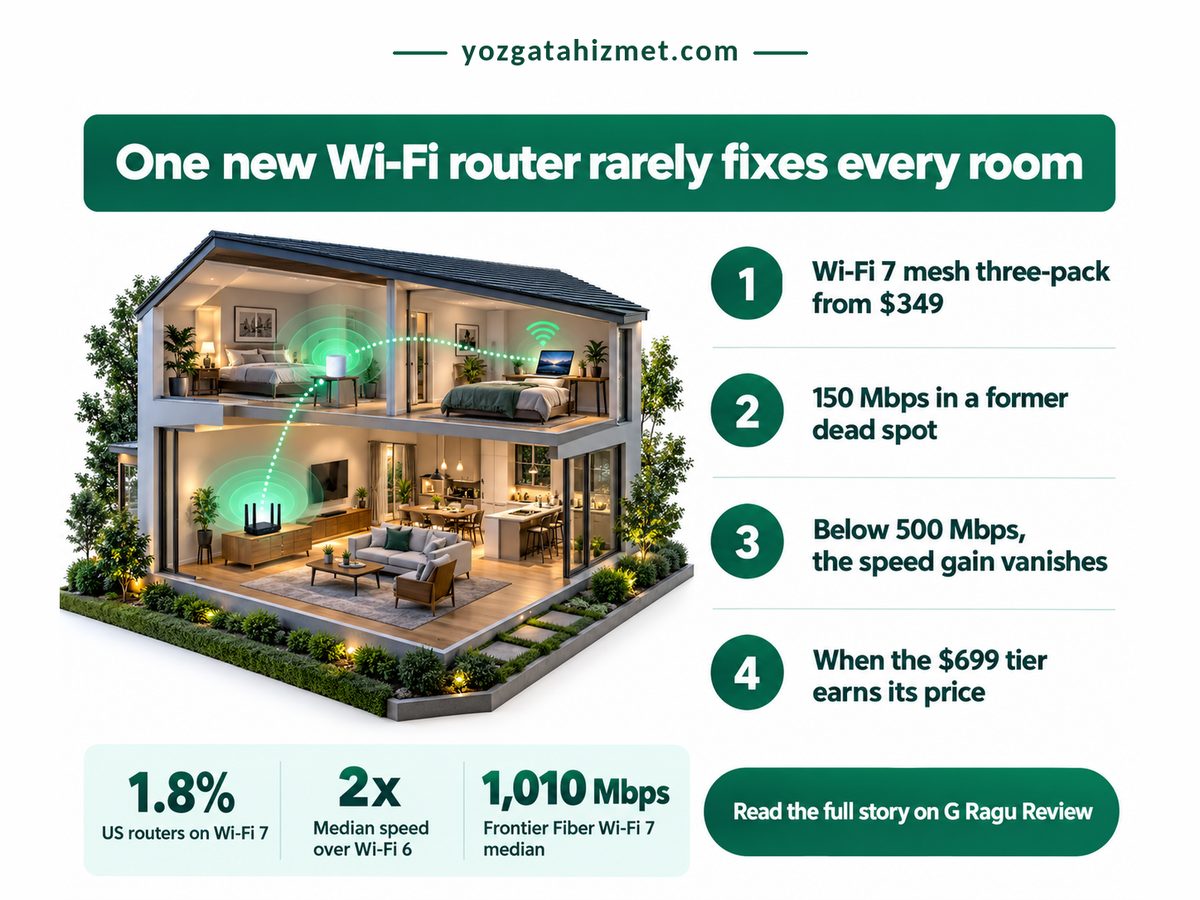
Start with what Wi-Fi 7 delivers. Ookla's US Speedtest data, reported by PCMag in June 2025, puts Wi-Fi 7 median downloads at 600 to 800 Mbps, roughly double Wi-Fi 6. That gain needs a plan to feed it: on 300 Mbps, the router was never the bottleneck. The provider matters more. Frontier Fiber customers on Wi-Fi 7 posted a 1,010 Mbps median and Verizon's 532 Mbps, so check the speed on your bill first.
PCMag's lab clocked Wi-Fi 7 routers near 2 Gbps, depending on how close you sit. That's a same-room number, and the room you're buying for is the far one, behind a stairwell, where a single box fades fast. Home 6 GHz gear also runs at low power while a higher-power mode waits on regulators, so that band stays short-range. Our comparison of Starlink plans against fibre and AirFiber shows how plan speed caps everything downstream, and the high-refresh TVs built for sports watching need that signal in the den.
Four numbers frame the purchase: TechRadar's March 2025 eero 7 pricing, the same PCMag report's Wi-Fi 5 comparison, Ookla's EE latency study (ISPreview, February 2025) and the WBA and ABI Research shipment count (FutureFive, January 2026). They cover cost, gain, feel and timing.
Mesh Three-Pack Price
$349.99
Three rooms covered, not one
Wi-Fi 7 vs Wi-Fi 5 Speed
4x
Biggest jump from old kit
Wi-Fi 7 Latency (EE, UK)
17 ms
Snappier calls and games
Wi-Fi 7 Access Points, 2025
66.5M
Mainstream now, not early-adopter
The shipment count changes the advice. The same outlook forecasts 117.9 million Wi-Fi 7 access points for 2026, nearly doubling again. A discounted Wi-Fi 6E mesh is still fair, since Ookla found 6E medians not far behind, but it's a bet on the generation the market is leaving. My view, and it is only a view: the saving has to be large.
Three mesh nodes cost about twice one router, not three times. In a house with walls, that ratio is the whole argument.
The question narrows. Not which box is faster, but which puts usable signal where you sit.
Is a mesh system better than a single router for dead zones?
Yes for most homes: a mesh system beats a single router for dead zones whenever the problem room sits two or more walls or a floor away, because each node relays a strong signal instead of shouting through plaster.
The evidence is unglamorous. In TechRadar's test, the dual-band eero 7 held about 150 Mbps in a room that had been a dead spot for the old router, matching its speed beside the main unit, with no 6 GHz radio at all. Coverage, not peak speed, fixed the back room.
| Dimension | Router vs Mesh | What it means for you |
|---|---|---|
| 💰 Entry price | Router eero 7, $169.99 Mesh eero 7 2-pack, $279.99 |
✅ The second node costs less than the first |
| 💰 Per-node cost | Router one node at full price Mesh 3-pack, about $117 each |
✅ Every extra room gets cheaper to reach |
| 🌍 Coverage | Router about 2,000 sq ft Mesh about 6,000 sq ft, 3-pack |
✅ Reaches a second floor or a garage |
| ⏱ Far-room speed | Router fades past one or two walls Mesh same as beside the router |
✅ Fixes the room you actually use |
| 🔋 6 GHz band | Router standard on flagships Mesh absent on eero 7 |
⚠️ Matters only to Wi-Fi 7 devices |
| ⏱ Plan threshold | Router pays off above 500 Mbps Mesh coverage gain on any plan |
⚠️ Check your bill before buying |
| 🏁 Best suited for | Router small flat, one wall away Mesh two floors or thick walls |
🏁 Count the walls, not the megabits |
Mesh wins on price too. By our arithmetic from eero's list prices, the second node adds $110 and the third only $70, so three rooms cost about twice one. A single router still leaves the far room on one weak signal (the stairwell is usually the culprit).
Nearly every buyer is upgrading from Wi-Fi 5 or Wi-Fi 6, so even a Wi-Fi 7 mesh without 6 GHz is a real step up. Shares are Ookla Speedtest US router data via PCMag, June 2025; the other slice is our derived remainder.
Do you need 6 GHz in a Wi-Fi 7 mesh system?
Only if your plan runs past a gigabit and your phones and laptops support Wi-Fi 7; otherwise a dual-band mesh without 6 GHz delivers the coverage you need for a fraction of the price.
The step up is steep. TechRadar lists the tri-band eero Pro 7 three-pack at $699.99 and the Max 7 three-pack at $1,699.99, two to five times the dual-band kit. That buys 6 GHz lanes, which earn their price only when multi-gig fiber feeds Wi-Fi 7 laptops and phones. Otherwise it's a motorway with no cars.
Is Wi-Fi 7 worth it if your devices don't support it? Partly. Older gadgets join at their own speed but still gain from a strong node in their room, so mesh improves the gear you already own. The smart TV gets a stronger signal too, a good moment to switch off the ACR tracking that reports what you watch.
- Speed studies flatter the router: ISPs pair their best kit with their fastest plans, as Ookla's EE analysis admits.
- Place nodes halfway to the dead room, not inside it.
- Got Ethernet between rooms? Wire the nodes together to free their radios.
Before you buy, check which of these is true for you
- The problem room is two walls or a floor from the router.
- A test beside your router already matches your plan speed.
- Your phone or laptop lists 802.11be (Wi-Fi 7).
- Your plan is multi-gig fiber.
So, one box or three? In a small flat where every room is one wall from the socket, buy the router. Everywhere else, buy the dual-band Wi-Fi 7 mesh; a flagship router is the expensive way to keep a dead zone. This week, run a speed test beside your router and one in your worst room: if the second is under half the first, order the mesh.
No comments
Post a Comment