Sunday, October 4, 2026
Roku vs Google TV Ads: Which Shows You Fewer
- Published
- 9:23 PM
- Author
- Comments
- 0
You plug in a new streaming box, press Home, and the screen is selling you something before a single app opens. It happens on Roku and on Google TV, but not to the same degree, and that gap is the point of a Roku vs Google TV ads comparison. The answer first: Google TV, set up the right way, shows you fewer ads. Roku shows you more, and Roku's own accounts explain why that will not change.
Key Takeaways
Google TV shows fewer home-screen ads than Roku, but only after you switch on Apps only mode, and that switch has a price.
- Roku earns most of its money after the sale, so its home screen is built for ads.
- Apps only mode hides Google's suggestion rows but keeps sponsored content and turns off Search.
- A 4K Roku stick costs half a Streamer on sale; you repay it in attention.
- Hate ads: buy the Streamer. Want the lowest price: buy the Roku.
Why does Roku put more ads on your screen?
Roku puts more ads on your screen because its business runs on what happens after the sale: the platform side, which sells advertising and distribution deals, earns far more, and at a far fatter margin, than the hardware does.
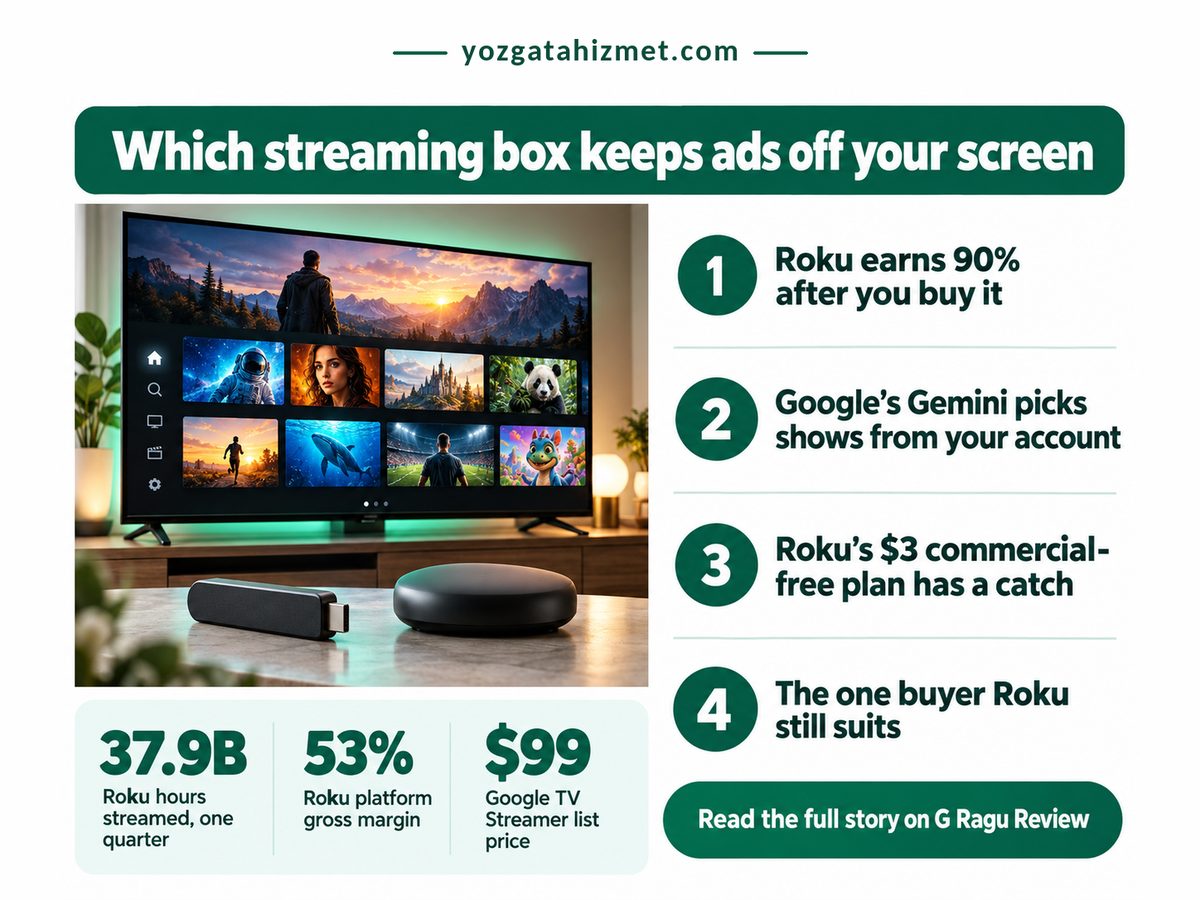
Roku's second-quarter 2026 results, filed with the SEC on August 6, 2026 (Roku 8-K, Exhibit 99.1), spell it out. Three numbers from that filing, plus the Streamer's list price as reported by Chrome Unboxed in June 2026, show who really pays for the box.
Hours streamed on Roku, Q2
37.9 billion
Your evenings, sold to advertisers
Google TV Streamer list price
$99
What a quieter screen costs
Roku platform revenue, one quarter
$1.22 billion
Up 25%, so more placements
Roku platform gross margin
53%
Ads outearn the box
The margin is the number to sit with. A company keeping roughly half of every platform dollar as gross profit, and much less on hardware, has no reason to sell you a quiet home screen. An ad-free Roku tier would cut against the most profitable thing it does.
On a Roku, the box is the cheap part. The home screen is the product, and your evening is what gets sold on it.
Plenty of smart TVs sell ad space before you watch anything, so Roku is not unusual. What separates these two is what you may switch off. Tracking is a separate fight, covered in our guide to ACR tracking settings on Roku and other TVs.
Roku vs Google TV ads: the side-by-side
Side by side, Google TV gives you one real switch that clears most of its home-screen suggestions, while Roku offers only a wallpaper toggle, so the trade is a higher box price against a noticeably quieter screen.
Prices are Roku's April 2025 launch price, reported by Tom's Guide, and Chrome Unboxed's June 2026 Streamer sale price. Margin and Howdy rows come from Roku's filing; the per-hour row is our own arithmetic.
| Dimension | Roku vs Google TV | What it means for you |
|---|---|---|
| 💰 Box price | Roku $39.99 Stick Plus, 4K Google TV $79.99 Streamer on sale |
✅ Roku leaves $40 in your pocket today |
| 🔋 Box margin | Roku 20.1% on devices Google TV Not broken out |
⚠️ Roku recovers the box through ads |
| 📊 Cash per hour | Roku About 3.2 cents, our math Google TV Not disclosed |
⚠️ Heavy viewers fund Roku the most |
| 🔒 Ad-off switch | Roku Sponsored wallpapers only Google TV Apps only mode, one toggle |
✅ Google hides its suggestion rows |
| ⚖️ What stays on | Roku Home-screen banner ads Google TV Sponsored content |
⚠️ Neither screen goes fully quiet |
| 🛠 What you lose | Roku Nothing, little changes Google TV Search and the Assistant |
❌ Voice search stops working on Google |
| 🧾 Ad-free shows | Roku Howdy, $3 a month, one app Google TV Your own paid apps |
❌ The menu keeps its ads either way |
| 🏁 Best suited for | Roku Second TV, tight budget Google TV Main TV, low ad tolerance |
🏁 Ads bother you: pick Google TV |
That per-hour row is platform revenue divided by hours streamed. It includes distribution deals, so treat it as a ceiling, not an ad price. Still, a household streaming three hours a night is worth about $35 a year to Roku's platform, close to the stick's own price. The box pays for itself within a year, just not for you.
Nine in every ten dollars Roku takes in arrive after you have bought the box, so any Roku you buy is built to keep showing you ads. Derived from Roku's Q2 2026 8-K, which put device revenue at $133.7 million against the platform figure in the grid above.
Where each platform's ad promise breaks
Each platform's promise breaks somewhere specific: Google TV's quiet mode switches off features many people use daily, and Roku's ad-free offer covers one app while leaving the home screen exactly as busy as before.
Does Google TV have ads on the home screen?
Yes, and Apps only mode reduces them rather than removing them. Google's support page, retrieved October 4, 2026, says the mode hides personalised recommendations but still shows sponsored content, and turns off Search and the Google Assistant. Chrome Unboxed reported in June 2026 that Gemini for TV completely replaces the Assistant, so I would expect voice features to go dark too. That is my reading, not Google's wording.
Leave the mode off and Gemini's picks lean on your Google account. Fewer banners, more personalisation: that is the honest trade.
Can you turn off ads on the Roku home screen?
Only at the edges. You can turn off sponsored wallpapers, and the home-screen banner stays. Howdy, which Roku's filing calls a premium, ad-free service, removes ads inside Howdy and nowhere else. Or rather, from what you watch there, not from the menu you pass through to reach it. Free ad-supported streaming channels work the same way: you pay in attention.
- Apps only mode sits under Settings, Accounts & Sign In, your profile, and must be set per profile.
- Roku's toggle is Settings, Theme, Sponsored wallpapers, and changes nothing else.
- Platforms change under you, as Vega OS on new Fire TV Sticks showed, so judge a box on today's settings.
Check these about your own home before you buy
- You use voice search most evenings: Apps only mode will annoy you.
- The TV is a spare you use a few hours a week: the ad gap barely touches you.
- You open the same two paid apps every night: Apps only mode costs you almost nothing.
- The extra $40 would stretch your budget this month: buy the Roku and stop reading.
So, the decision. If home-screen ads are what you want gone, buy the Google TV Streamer on sale and switch on Apps only mode the first evening. If you want the cheapest 4K box for a second TV and can live with a banner, Roku still suits you. This week, if you own any Google TV device, turn on Apps only mode for seven days; if you have not missed voice search by Sunday, you have your answer.
No comments
Post a Comment